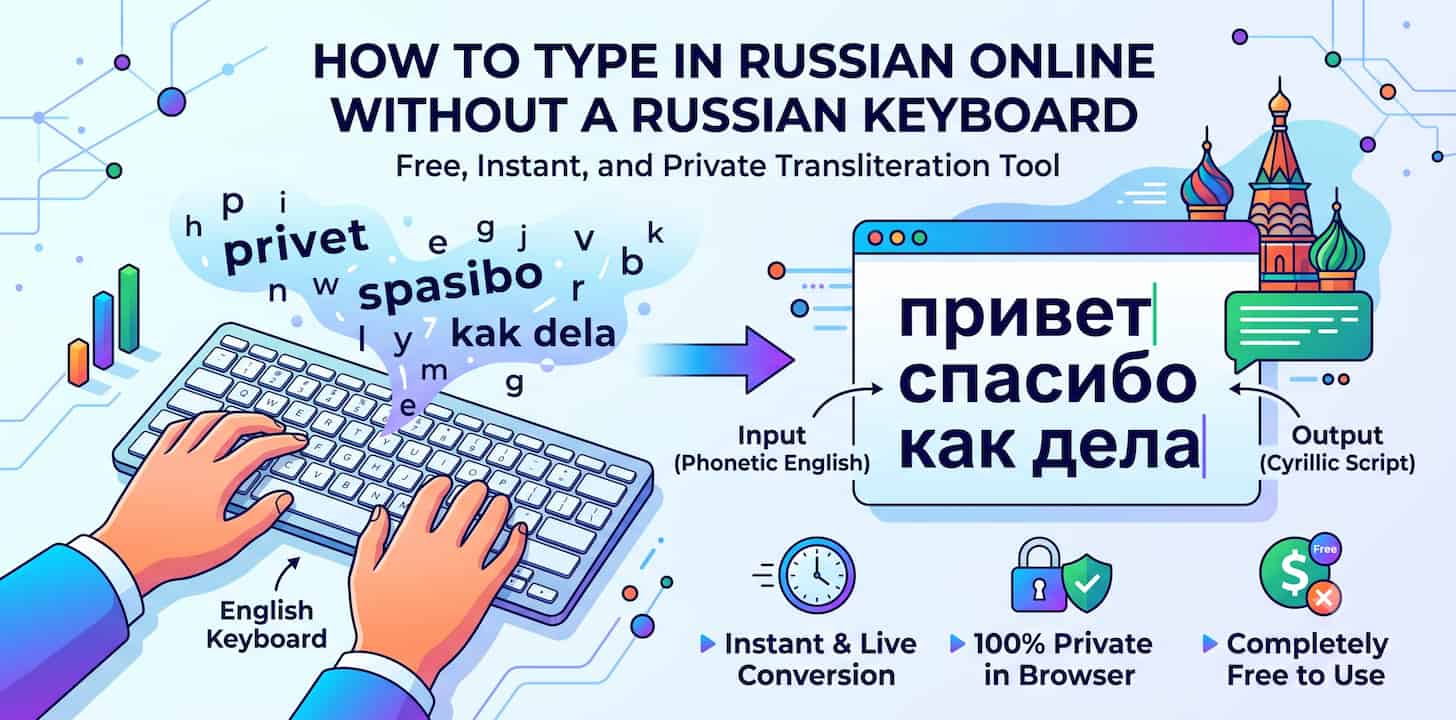
If you've ever needed to send a message in Russian and your keyboard only has Latin letters, you've probably run into the same wall everyone does: your operating system's Russian layout doesn't match anything you know how to type. The letters are in different places, the muscle memory isn't there, and switching layouts mid-sentence just to hunt for one character is not a workflow — it's a chore.
The fix isn't learning a new keyboard layout. It's transliteration: you type Russian words the way they sound using English letters, and the words appear in Cyrillic script automatically. No layout switching, no memorizing where "ж" or "щ" live on a Russian keyboard.
Why Typing Russian Is Harder Than It Looks
Russian uses the Cyrillic alphabet, which shares almost no key positions with a standard QWERTY layout. Even people who read Russian fluently often can't touch-type it, because the physical layout (ЙЦУКЕН) puts letters in completely unfamiliar places. Add a keyboard that's only ever been set up for English, and you're stuck with one of three bad options:
- Installing a Russian keyboard layout in your OS settings and learning it from scratch
- Copy-pasting Cyrillic characters one at a time from a character map
- Typing in Latin letters and hoping the recipient can read transliterated Russian (most can't reliably)
None of these are practical for anything beyond a single word. If you're writing an email, a comment, or a message to a Russian-speaking contact, you need something faster.
What "Transliteration" Actually Means Here
Transliteration converts the sound of a word into a different script, rather than translating its meaning. Type privet, and a phonetic transliteration engine converts it to привет ("hello"). Type spasibo, and you get спасибо ("thank you"). You're not learning Cyrillic key positions — you're spelling Russian words using the English letters that approximate how they sound, and letting the tool handle the script conversion.
This is different from machine translation. You still need to know the Russian word you want to write; the tool just handles rendering it in the correct alphabet, instantly, as you type.
How to Type Russian Phonetically, Step by Step
- Open the free transliteration tool and select Russian as your output language.
- Type the Russian word using English letters, spelled the way it sounds — for example,
moskvaforмоскваorspasiboforспасибо. - Watch the Cyrillic text appear in real time as you type, letter by letter.
- Copy the finished Russian text and paste it into your email, chat app, document, or form.
There's no file to upload and nothing to install. The conversion happens directly in your browser as you type.
A Few Common Letter Mappings
Phonetic transliteration follows fairly intuitive patterns once you see a few examples:
sh→ шch→ чzh→ жya→ яyu→ юts→ ц
You don't need to memorize these — the tool applies the mapping automatically — but recognizing them helps you understand why a word converts the way it does, and makes it easier to spot a typo before you hit send.
Where This Actually Gets Used
Phonetic Russian typing isn't just for language learners. The most common real-world uses are:
- Business correspondence — writing a quick reply to a Russian-speaking client or partner without switching your entire OS keyboard layout
- Social media and comments — replying in Russian on a post or thread without breaking your typing flow
- Search queries — typing a Russian search term into a search engine or shopping site that expects Cyrillic input
- Messaging apps — texting friends, family, or contacts who read Russian, even if your phone or laptop is set up entirely in English
Your Text Stays on Your Device
Because the conversion runs entirely client-side in your browser, nothing you type — draft messages, business communication, personal notes — is ever transmitted to a server to be processed. Close the tab, and there's no copy of what you typed sitting anywhere. That matters if you're typing anything you wouldn't want logged, whether it's a private message or a line from an unpublished document.
Frequently Asked Questions
Do I need a Russian keyboard to type in Russian online?
No. A phonetic transliteration tool converts English letters into Cyrillic script as you type, so your existing English keyboard is all you need — no OS layout changes and no physical Russian keyboard required.
Is phonetic typing the same as Google Translate?
No. Translation converts meaning between languages; transliteration converts the sound of a word you already know into a different script. You still need to know the Russian word — the tool just renders it in Cyrillic instead of you typing Cyrillic characters directly.
Can I type in Russian on my phone using this method?
Yes. Since the tool runs in your browser, it works on mobile browsers as well as desktop — no app installation needed on either.
Why does my Russian keyboard layout feel so hard to learn?
The Russian ЙЦУКЕН layout places letters in different physical positions than QWERTY, so your existing typing muscle memory doesn't transfer. Phonetic transliteration sidesteps this entirely by keeping your English key positions and converting the output.
Is it safe to type sensitive or business messages using this tool?
Yes. The conversion happens entirely in your browser using client-side processing — nothing you type is sent to or stored on a server.
What if I need to type in another language, not just Russian?
The same transliteration tool supports Hindi, Urdu, Tamil, Arabic, Punjabi, Gujarati, Marathi, Bengali, and more — see our guide on typing in Urdu online if that's what you need next.